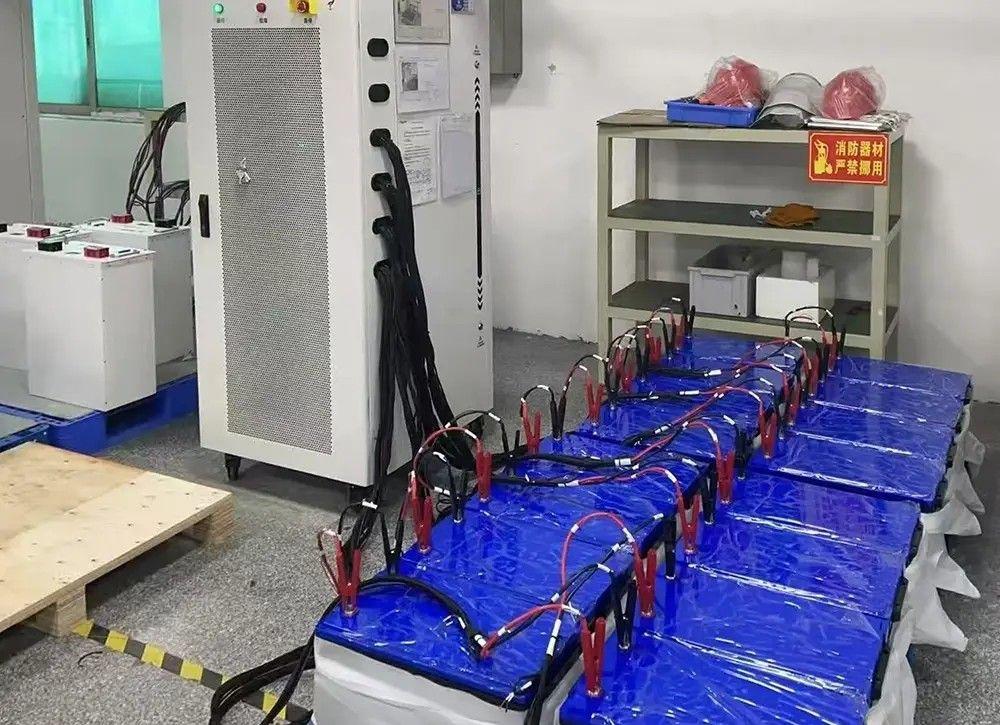
Have you ever been caught off guard when your battery suddenly quits at the worst possible moment? The culprit usually isn't the battery's age—it's its ability to deliver power under actual operating conditions. A battery load test is the most dependable way to gauge your battery's genuine health and capability, going far deeper than a basic voltage measurement.
In this detailed walkthrough, you'll discover exactly how to carry out a load test on your LiFePO4 batteries, accurately interpret the data, and make well-informed decisions about upkeep or replacement. Whether you're a DIYer overseeing your RV's electrical system or a professional responsible for commercial solar setups, this guide will lead you through every stage methodically.
- Load testing mimics real-world demands by applying an electrical load to see how your battery performs under stress.
- LiFePO4 batteries demand specific testing parameters that differ from conventional lead-acid types.
- The test itself takes only 10–15 seconds but yields essential information about battery health and remaining capacity.
- Avoiding common errors prevents damage and false readings—we'll pinpoint exactly what to steer clear of.
- Routine testing prolongs battery life by spotting problems early, before they trigger system breakdowns.
1.1 What Is a Battery Load Test?
A battery load test measures your battery's ability to sustain voltage while delivering a set amount of current. Unlike a simple voltage reading—which only reflects the battery at rest—a load test replicates actual usage by pulling power from the battery for a brief interval, typically 10 to 15 seconds.
Picture it like this: checking voltage without a load is like verifying your car has fuel in the tank. A load test is akin to actually turning the key and seeing if the engine runs smoothly. Voltage tells you about stored potential; a load test reveals usable performance.
For LiFePO4 (lithium iron phosphate) batteries, this difference is critical. These batteries keep a relatively flat voltage discharge curve, meaning the voltage stays steady until they're almost empty. A casual voltage check might display 13.0 V (which looks fine), but a load test could expose that the battery can't hold that voltage under demand—signaling internal wear or loss of capacity.
1.2 When Should You Test Your Battery?
Regular Maintenance Schedule:
- New battery baseline: Test within the first week to establish performance benchmarks.
- Quarterly testing: Every 3 months for batteries in daily use (RVs, off-grid solar, marine).
- Bi-annual testing: Every 6 months for backup or seasonal-use batteries.
- Annual testing: For lightly used systems or stationary energy storage.
Performance-Based Testing (Test Immediately If You Notice):
- Reduced runtime from a single charge
- Slower-than-usual charging speeds
- Battery feels unusually warm during discharge
- Voltage sags faster than expected under use
- The battery is more than 3 years old (even if acting normally)
- After buying a used or refurbished battery
- Before and after long-term storage (3+ months)
Critical System Testing: For mission-critical functions (medical devices, emergency backup power, telecom), test monthly regardless of apparent performance.
1.3 Tools You’ll Need
Everything required for a safe and accurate battery load test:
| Tool | Purpose | Approximate Cost |
| Battery Load Tester | Applies a calibrated load and measures voltage drop | $50 – $150 |
| Digital Multimeter | Checks resting voltage before/after the test | $20 – $60 |
| Safety Glasses | Shields eyes from possible sparks | $5 – $15 |
| Insulated Gloves | Protects hands during connections | $10 – $25 |
| Notebook/Phone | Records test results and voltage readings | Free |
| Battery Charger (if needed) | Brings battery to full charge before testing | $40 – $120 |
Recommended Load Tester Types for LiFePO4:
- Carbon pile testers (traditional, manual control): Ideal for occasional testing, budget-conscious.
- Electronic load testers (digital, automated): More precise and user-friendly; worth the investment for frequent testing.
- Professional battery analyzers ($200+): Include capacity testing, internal resistance measurement, and data logging—perfect for commercial use.
Important Note: Automotive battery testers built for 12 V lead-acid batteries may function with 12 V LiFePO4 batteries, but confirm the tester supports lithium chemistry and appropriate load ranges. Some testers adjust automatically; others need manual setup.
2.1 Safety First: Pre-Test Preparation
Complete this safety checklist before you start:
Environment Setup:
- [ ] Work in a well-ventilated spot (outdoors or garage with doors open)
- [ ] Remove flammable materials from the work area
- [ ] Place the battery on a stable, level surface
- [ ] Keep a Class C fire extinguisher (for electrical fires) nearby
- [ ] Avoid testing in extreme temperatures (below 0°C or above 45°C)
Personal Protective Equipment:
- [ ] Safety glasses securely over eyes
- [ ] Insulated gloves on both hands
- [ ] No loose jewelry or metal objects
- [ ] Closed-toe shoes (no sandals)
Battery Visual Inspection:
- [ ] Look for cracks, bulges, or deformation in the casing
- [ ] Examine terminals for corrosion, damage, or looseness
- [ ] Check for any signs of leakage (rare with LiFePO4)
- [ ] Verify that BMS (Battery Management System) indicator lights show normal status
Common Hazards to Avoid:
- Short circuits: Never let metal tools touch both terminals at the same time.
- Reversed polarity: Double-check positive/negative before connecting.
- Overheating: Stop immediately if the battery becomes hot to the touch.
- Sparking: If you see persistent sparking during connection, halt and investigate.
If you spot any visual damage, do not proceed with testing. A damaged battery needs professional assessment or proper disposal.
2.2 Step 1: Visual Inspection & State of Charge Check
A. Measure Resting Voltage (No Load):
1. Set your digital multimeter to DC voltage (20 V range).
2. Touch the red probe to the positive (+) terminal.
3. Touch the black probe to the negative (-) terminal.
4. Record the voltage reading.
LiFePO4 Voltage State of Charge Reference (12 V System):
| Voltage (12 V System) | Approximate State of Charge | Action Required |
| 14.4 V – 14.6 V | 100% (just off charger) | Wait 1–2 hours before testing |
| 13.3 V – 13.4 V | 100% (rested) | ✅ Ready to test |
| 13.0 V – 13.2 V | 80–90% | Charge before testing |
| 12.8 V – 12.9 V | 50–70% | Charge before testing |
| Below 12.8 V | Below 50% | ⚠️ Charge immediately |
B. Charge to Appropriate Level:
For accurate load testing, your LiFePO4 battery should be at 80–100% state of charge. If voltage is below 13.0 V:
1. Connect a suitable LiFePO4-compatible charger.
2. Charge until voltage reaches 13.3–14.4 V.
3. Disconnect the charger and wait 30–60 minutes for voltage to settle.
4. Remeasure resting voltage (it should stabilize around 13.3–13.4 V).
Why This Matters: Testing a partially discharged battery produces artificially weak results. You’re evaluating the battery’s ability to deliver power from a charged state—exactly how it would be used in real-world emergencies or high-demand scenarios.
2.3 Step 2: Connecting the Load Tester
Now that your battery is properly charged and inspected, follow these connection steps meticulously:
A. Prepare the Load Tester:
- Set the load tester to the correct load value (see calculation below).
- Ensure the tester is in the “off” position before making connections.
- Check that tester cables are in good shape (no fraying or exposed wire).
B. Calculate Appropriate Load:
For LiFePO4 batteries, use 50% of the battery’s rated capacity (Ah) multiplied by battery voltage as your test load.
Formula:
Test Load (Watts) = Battery Capacity (Ah) × Battery Voltage (V) × 0.5
Examples:
- 100 Ah 12 V LiFePO4 battery: 100 × 12 × 0.5 = 600 watts
- 200 Ah 12 V LiFePO4 battery: 200 × 12 × 0.5 = 1,200 watts
- 50 Ah 24 V LiFePO4 battery: 50 × 24 × 0.5 = 600 watts
If your tester shows amperage instead of wattage, use:
Test Load (Amps) = Battery Capacity (Ah) × 0.5
Example: 100 Ah battery → 50 amp load
C. Physical Connection Steps:
1. Positive first: Firmly attach the red (positive) clamp to the battery’s positive (+) terminal.
2. Negative second: Firmly attach the black (negative) clamp to the battery’s negative (-) terminal.
3. Double-check: Visually confirm red is on +, black is on –.
4. Secure connection: Make sure clamps have solid metal-to-metal contact (no paint or corrosion in the way).
Common Connection Mistakes:
- ❌ Reversed polarity (red on negative, black on positive)—can harm the BMS.
- ❌ Loose connections—cause arcing and inaccurate readings.
- ❌ Connecting to corroded battery posts—clean terminals first with a wire brush.
- ❌ Letting the clamps touch each other during connection—creates a dangerous short circuit.
Pro Tip: If you’re uneasy about connections, attach the load tester while it’s switched off, verify polarity, then activate the load. This avoids any accidental sparking during hookup.
2.4 Step 3: Applying Load & Monitoring
With everything securely connected, you’re ready to perform the actual test:
A. Activate the Load (10–15 Second Test):
1. Turn on your load tester to apply the calculated load.
2. Start a timer immediately (use your phone’s stopwatch).
3. Watch the voltage display on the tester (or use your multimeter if the tester doesn’t show voltage).
4. Observe voltage continuously for 10–15 seconds.
5. After 10–15 seconds, switch off the load tester.
6. Record the final voltage at the end of the test period.
B. What to Watch For During Testing:
| Observation | Meaning | Action |
| Voltage drops gradually and stabilizes above 12.0 V | ✅ Healthy battery | Continue monitoring |
| Voltage drops below 12.0 V within 10 seconds | ⚠️ Weak battery | Stop test, investigate |
| Voltage drops below 11.0 V within 5 seconds | Failed battery | Stop immediately |
| Battery becomes hot to the touch | Problem detected | Stop immediately |
| Sparking or smoking | Critical failure | Disconnect immediately |
C. When to Stop the Test Early:
Stop the test immediately if:
- Voltage falls below 11.0 V.
- The battery case becomes hot (>50°C / 122°F).
- You detect burning odors or see smoke.
- The BMS cuts off (some LiFePO4 batteries have built-in protection that disconnects power).
- Sparking occurs at the terminals.
LiFePO4-Specific Consideration:
Unlike lead-acid batteries (which should stay above about 9.6 V under load for a 12 V battery), LiFePO4 batteries should maintain at least 12.0 V during the 10–15 second test. The acceptable voltage drop is smaller because of the chemistry’s flatter discharge curve.
2.5 Step 4: Recording & Analyzing Results
Immediately after halting the load, document these data points:
Test Record Template:
- Date: __________
- Battery Model: __________
- Capacity Rating: __________ Ah
- Age: __________ (months/years)
- Resting Voltage (before test): __________ V
- Load Applied: __________ watts (or amps)
- Voltage Under Load (after 10–15 sec): __________ V
- Voltage Drop: __________ V
- Recovery Voltage (5 min after test): __________ V
- Temperature: __________ °C
- Test Result: PASS / MARGINAL / FAIL
Quick Judgment Criteria:
| Final Voltage Under Load | Battery Status | Recommendation |
| 12.8 V or higher | ✅ Excellent | Battery is healthy; continue normal use |
| 12.0 V – 12.7 V | ⚠️ Good to Fair | Acceptable; monitor more frequently |
| 11.0 V – 11.9 V | ⚠️ Marginal | Consider replacing within 6–12 months |
| Below 11.0 V | Failed | Replace immediately or reduce load demands |
Recovery Voltage Check:
Wait 5 minutes after the test, then measure voltage again:
- Healthy batteries bounce back to within 0.1–0.3 V of the original resting voltage.
- Weakened batteries may recover sluggishly or settle noticeably lower.
- If recovery voltage is below 13.0 V (from an initial 13.3 V reading), the battery has experienced capacity loss.
3.1 Voltage Drop Explained (Simple Terms)
What Is "Voltage Drop"?
Voltage drop is the gap between your battery’s resting voltage (no load) and the voltage recorded while under load during the test.
Example Calculation:
- Resting voltage: 13.3 V
- Voltage under load: 12.4 V
- Voltage drop: 13.3 V – 12.4 V = 0.9 V drop
Normal Ranges for LiFePO4 Batteries:
| Voltage Drop | What It Means |
| 0.3 V – 0.6 V | ✅ Excellent – Low internal resistance, healthy cells |
| 0.7 V – 1.0 V | ⚠️ Acceptable – Normal aging, monitor regularly |
| 1.1 V – 1.5 V | ⚠️ Moderate degradation – Plan for replacement |
| Above 1.5 V | High internal resistance – Battery failing |
LiFePO4 vs. Other Lithium Batteries:
LiFePO4 batteries exhibit smaller voltage drops compared to other lithium-ion chemistries (like NMC or NCA) under the same load conditions. This is one of their main advantages—stable voltage delivery across the discharge cycle.
If a LiFePO4 battery shows a voltage drop exceeding 1.5 V, that’s unusual and points to one or more of the following:
- Significant internal resistance buildup
- Cell imbalance inside the pack
- BMS limiting current
- Manufacturing defect or physical damage
Temperature Impact on Voltage Drop:
Cold temperatures raise internal resistance, which increases voltage drop:
- At 25°C (77°F): Normal voltage drop
- At 0°C (32°F): Voltage drop may increase by 20–30%
- At -10°C (14°F): Voltage drop may increase by 40–50%
Pro Tip: Always test batteries at room temperature (20–25°C) for the most reliable results. If you must test in the cold, record the temperature and factor in the expected rise in voltage drop.
3.2 Capacity vs Performance
Understanding the Difference:
- Capacity = Total energy the battery can store (measured in Ah or Wh)
- Performance = How effectively the battery delivers that energy under load
A battery can retain decent capacity but suffer from poor performance if its internal resistance has climbed. That’s why voltage-only checks can be so misleading.
Capacity Retention Estimate:
Although a load test doesn’t directly measure capacity (that calls for a full discharge test), you can roughly gauge capacity retention from the voltage drop:
| Voltage Drop | Estimated Capacity Retention |
| 0.3 V – 0.6 V | 90–100% of rated capacity |
| 0.7 V – 1.0 V | 70–90% of rated capacity |
| 1.1 V – 1.5 V | 50–70% of rated capacity |
| Above 1.5 V | Below 50% of rated capacity |
Real-World Example Comparison:
Scenario A: New 100 Ah LiFePO4 Battery
- Resting voltage: 13.3 V
- Voltage under 600 W load: 12.9 V
- Voltage drop: 0.4 V
- Result: ✅ Excellent performance, ~95% capacity retention
Scenario B: 4-Year-Old 100 Ah LiFePO4 Battery
- Resting voltage: 13.2 V
- Voltage under 600 W load: 12.0 V
- Voltage drop: 1.2 V
- Result: ⚠️ Degraded performance, ~60% capacity retention (effective capacity now ~60 Ah)
In Scenario B, the battery might still read 13.2 V at rest (appearing perfectly fine), but under real-world loads it can deliver only about 60% of its original capacity before the voltage dips unacceptably.
3.3 Next Steps: Maintain, Repair, or Replace?
Based on your test results, here’s how to move forward:
Voltage Drop 0.3 V – 0.6 V (EXCELLENT):
- Action: Continue normal use and monitoring.
- Test again in 3–6 months.
- Follow proper charging habits (avoid chronic undercharging or overcharging).
- Keep the battery in a temperature-controlled environment when feasible (15–25°C ideal).
- Expected remaining lifespan: 70–100% of rated cycle life remaining.
Voltage Drop 0.7 V – 1.0 V (ACCEPTABLE TO FAIR):
- Action: Increase monitoring frequency.
- Test monthly rather than quarterly.
- Check for BMS firmware updates (some manufacturers release updates that enhance performance).
- Confirm charger settings align with LiFePO4 requirements (14.4–14.6 V bulk, 13.6 V float).
- Consider reducing the load if possible (e.g., lower inverter draw, stagger high-power appliances).
- Expected remaining lifespan: 40–70% of rated cycle life remaining.
Voltage Drop 1.1 V – 1.5 V (MARGINAL):
- Action: Plan for replacement within 6–12 months.
- Budget for a new battery.
- Reduce load demands where practical.
- Avoid deep discharges (stay above 20% state of charge).
- Watch for sudden performance drops.
- A professional capacity test can confirm exact remaining capacity.
- Expected remaining lifespan: 10–40% of rated cycle life remaining.
Voltage Drop Above 1.5 V (FAILED):
- Action: Replace immediately or consult a professional.
- Do not rely on this battery for critical applications.
- If you must keep using it, restrict it to non-essential, light loads.
- Reach out to the manufacturer if the battery is under warranty.
- Professional testing can uncover:
- Cell imbalance (sometimes correctable with balancing)
- BMS malfunction (potentially replaceable separately)
- Physical damage (battery must be replaced)
When to Seek Professional Help:
Contact a battery specialist or the manufacturer if:
- Voltage drop varies inconsistently between tests (by more than 0.3 V).
- The battery fails the load test but looks physically perfect.
- The battery is under 2 years old with fewer than 500 cycles and shows poor performance.
- You notice BMS error codes or unusual behavior.
- You need precise capacity testing for warranty claims.
DIY Troubleshooting Steps Before Replacement:
- Cell Balancing: Some LiFePO4 batteries benefit from a “balancing charge”—charge to 100% and hold there for 2–4 hours to let the BMS balance individual cells.
- BMS Reset: Certain batteries have a reset procedure (refer to the manufacturer’s documentation).
- Terminal Cleaning: Remove terminals, clean with a wire brush and contact cleaner, then reconnect firmly.
- Temperature Stabilization: Bring the battery to room temperature and retest.
Mistake 1: Testing a Partially Discharged Battery
The Problem: Testing at 50% state of charge (SOC) will produce poor performance readings even if the battery is healthy. You’re gauging delivery from a depleted state, not true capacity.
Why It Happens: People often test when they already suspect trouble—meaning the battery is partially discharged from use.
The Fix: Always charge to 80–100% SOC before testing. Let the battery rest 30–60 minutes after charging until the resting voltage is at least 13.0 V (for 12 V LiFePO4).
Real-World Impact: A 100 Ah battery at 50% SOC might show a voltage drop over 1.5 V, making you think it’s dead when it just needs a charge.
Mistake 2: Using the Wrong Load Value
The Problem: Too high a load can damage the battery, trip BMS protection, or give falsely poor results. Too low a load won’t stress the battery enough to reveal issues.
Why It Happens: Relying on automotive testers built for lead-acid cranking amps, or guessing the load value without calculation.
The Fix: Calculate the load as 50% of the battery’s capacity (e.g., 100 Ah battery → 50 A load, or 600 W at 12 V). Never go beyond the battery’s rated continuous discharge current (check manufacturer specs). Use a calibrated load tester, not improvised resistive loads.
Example: A 100 Ah LiFePO4 battery rated for 100 A continuous discharge:
✅ Correct: 50 A (600 W)
❌ Too high: 150 A (1,800 W) — could cause damage
❌ Too low: 10 A (120 W) — won’t expose performance problems
Mistake 3: Testing in Extreme Temperatures
The Problem: Performance shifts dramatically with temperature. Testing in very cold or hot conditions yields misleading results that don’t reflect actual battery health.
Why It Happens: Testing where the battery is installed (RV in winter, hot engine bay, outdoor solar setup).
The Fix: Bring the battery to room temperature (20–25°C / 68–77°F) before testing. Allow 2–4 hours for temperature stabilization. If you must test in situ, record the temperature and account for expected variation.
Pro Tip: Use an infrared thermometer to check the battery case temperature. If the surface is outside 15–30°C, wait for it to stabilize.
Mistake 4: Ignoring Recovery Voltage
The Problem: Many people only record the voltage under load but skip checking how the battery recovers afterward. Recovery voltage is a vital sign of internal health.
What Recovery Voltage Tells You:
- Quick recovery (back to within 0.2 V of resting voltage in 1–2 minutes): Healthy battery.
- Slow recovery (takes 5–10 minutes to stabilize): Increased internal resistance, aging cells.
- Poor recovery (never reaches the original resting voltage): Capacity loss or cell damage.
The Fix: Record voltage right after stopping the load. Keep connections in place (load off). Measure again at 1, 5, and 10 minutes, and compare the recovery pattern to expected behavior.
Example:
- Resting: 13.3 V, Load: 12.5 V (0.8 V drop)
- Recovery at 1 min: 13.0 V, 5 min: 13.2 V, 10 min: 13.3 V →Healthy
vs.
- Recovery at 1 min: 12.7 V, 5 min: 12.8 V, 10 min: 12.9 V →Poor recovery despite acceptable load test
Mistake 5: Not Accounting for BMS Behavior
The Problem: LiFePO4 batteries have built-in Battery Management Systems that can limit current during testing, making a healthy battery look weak. The BMS might also disconnect entirely if it senses conditions it deems unsafe.
Why It Happens: Not reviewing manufacturer specs for maximum continuous discharge current, or using test loads that exceed BMS limits.
The Fix: Before testing, check the datasheet for maximum continuous discharge current, BMS cutoff voltage per cell, and temperature limits. If the BMS disconnects (voltage suddenly drops to 0 V), reduce the test load by 30–50%, check for overheating, and verify the battery is at the proper SOC. Note in your records the load level that triggered the trip.
Example: A 100 Ah LiFePO4 battery with a BMS rated for 100 A continuous:
50 A load — should work fine
120 A load — BMS may disconnect to protect the battery
If the BMS trips at the correct 50 A load, this suggests BMS malfunction, severely degraded cells, or out-of-spec temperature.
Mistake 6: Testing Immediately After Charging
The Problem: A battery fresh off the charger will have an artificially elevated voltage (14.4–14.6 V for LiFePO4) and may appear to perform better than it actually does once rested. This is known as “surface charge.”
Why It Happens: Eagerness to test right after charging, without waiting for voltage to settle.
The Fix: Disconnect the charger, wait 30–60 minutes for voltage to stabilize, and recheck resting voltage (should settle around 13.3–13.4 V for a fully charged LiFePO4). Only then begin load testing.
Voltage Stabilization Timeline:
- 0 min (just off charger): 14.4–14.6 V
- 10 min: 13.8–14.0 V
- 30 min: 13.4–13.6 V
- 60 min: 13.3–13.4 V (stable resting voltage)
Pro Tip: If you’re short on time, discharge the battery at a moderate load (10–20 A) for 5–10 minutes, then let it rest for 15 minutes. This speeds up the stabilization process.
Battery load testing is your most trustworthy tool for evaluating real-world performance beyond what a simple voltage reading can reveal. By applying a controlled electrical load and watching how your LiFePO4 battery responds, you gain critical insights into its health, capacity retention, and remaining service life.
Regular load testing—quarterly for daily-use batteries, every six months for backup systems—extends battery life by catching issues early and enables you to schedule replacements before unexpected failures strike. Whether you’re running an off-grid solar setup, maintaining RV house batteries, or safeguarding backup power reliability, load testing gives you confidence in your energy storage.
Your battery is an investment in energy independence and dependability. Treat it with the structured testing approach it merits, and you’ll maximize both its performance and longevity.
How often should I load test my LiFePO4 battery?
For batteries in daily use (RV house batteries, off-grid solar, marine applications), test every 3 months. For backup or seasonal-use batteries, test every 6 months. For mission-critical applications, test monthly. Always test after purchasing a used battery and before/after long-term storage (3+ months). The modest time investment in routine testing prevents costly failures and extends battery life by detecting degradation early.
What voltage drop is acceptable during load testing?
For LiFePO4 batteries, a voltage drop of 0.3 V – 0.6 V indicates excellent health; 0.7 V – 1.0 V is acceptable to fair (normal aging); 1.1 V – 1.5 V signals moderate degradation (plan replacement); and above 1.5 V suggests the battery is failing. These ranges assume proper test conditions (full charge, appropriate load, room temperature). Larger voltage drops mean higher internal resistance, which cuts into usable capacity and performance even if the resting voltage looks normal.
Do I need to fully charge my battery before testing?
Yes, for accurate results your battery should be at 80–100% state of charge before load testing. Testing a partially discharged battery will yield poor results even if the battery is healthy—you’re measuring power delivery from a depleted condition rather than true capacity. Charge until the resting voltage reaches 13.0–13.4 V (for 12 V LiFePO4), then wait 30–60 minutes after disconnecting the charger for the voltage to settle. Testing from a known state of charge also makes results comparable across tests, helping you track degradation over time.
What’s the difference between load testing and capacity testing?
Load testing applies a high current for 10–15 seconds to evaluate the battery’s ability to deliver power under stress—like checking if your car can accelerate quickly. Capacity testing fully discharges the battery over several hours at a low current to measure total energy storage—like measuring your gas tank’s size. Load testing is much faster (roughly 15 minutes vs. 10+ hours) and better suited for routine maintenance checks. Capacity testing gives more detailed information but demands specialized equipment and significant time. For most users, load testing every 3–6 months combined with an occasional capacity test (annually or when selling/filing warranty claims) provides thorough battery health monitoring.
Welcome to contact us:
Inquire more product details from the: Lithium Ion Battery Suppliers
WhatsApp/Wechat/Mobile: +86 13326321310
Email: info@battery-energy-storage-system.com
Website: www.battery-energy-storage-system.com
Ready to power your energy systems with the best in the industry?
Contact us today to get the latest pricing and discuss your needs with our team!
Next:Shipment of 1 unit 1.8kW on board battery charger to Australia
Previous:400Ah, 700Ah and 1000Ah Winston Batteries with UN38.3 Certificate to New Zealand